Field notes · Everitt Chase
The feedback loop that eats your week
Why client website feedback is broken by design — and what it looks like when you build the fix for an AI agent instead of a human.
The loop that loses days
Every small web project goes through the same ritual. The developer finishes a round of work and sends the client a link. The client tours the site and has thoughts — good thoughts, specific thoughts — and communicates them in the only way available: a Slack message with a screenshot, a red circle drawn in Preview, a voice memo that says "the thing on the left is kind of weird."
What follows is a clarification session that should not exist. Which element? Which page? Which viewport? Was that a mobile view? What color are you comparing it to? What exactly do you want it to say? A five-minute code change consumes 20 to 30 minutes of back-and-forth before anyone touches a file. Multiply that by twelve notes per session and you have burned half a day on translation work.
The problem is not that clients give bad feedback. It's that the medium — screenshots, Slack, email — strips out every coordinate that a developer or an AI agent needs to act. The element, its selector, its current text, its computed size — all of it evaporates between the client's browser and the developer's inbox.
Why existing tools don't solve it
The feedback-annotation market has been around for a decade. BugHerd, Marker.io, and Feedbucket all let clients click elements and leave notes directly on a live site. They solve the "which element" problem elegantly. They cost $39–150 per month, which adds up fast when every client engagement is a separate billing relationship.
But the bigger issue isn't price. It's what those reports are designed to produce. Every one of those tools outputs a human-readable task list: a screenshot with an overlay, a comment thread, a Trello card. A human developer reads that, interprets it, writes a ticket, and then finally makes the change. The tool is optimized for the handoff between client and human developer. It assumes a person in the middle who can resolve ambiguity by looking at the screenshot and using judgment.
In 2025, that assumption is outdated. The "developer" making many of these changes is Claude Code, Codex, or a custom agent that reads a JSON feed and executes. There is no human in the loop interpreting a screenshot. The agent needs coordinates, not commentary. It needs a CSS selector, not a red circle.
There's also a platform problem. The self-hosted alternatives in this space are mostly WordPress-only, pre-1.0 stability, or require client accounts and browser extensions — none of which Jan is going to install before a feedback session.
Four constraints that drove every decision
Before writing a line of code, I established four constraints. Not goals — constraints. Every architecture decision had to clear all four.
The Jan Test
Jan is a 60-year-old small business owner who is not technical. She is my mental model for a non-technical client — the person a developer is most likely to send a feedback link to. The Jan Test is this: if Jan can't submit her first note within 60 seconds of clicking a link, with zero instruction, the UX has failed. Not "needs improvement." Failed. This is a hard rejection criterion, not a soft goal.
The Jan Test ruled out everything that required setup on the client side. No accounts. No logins. No browser extensions. No form with more than one required field. The widget had to appear, be obvious, and accept a note before Jan had time to wonder what she was doing.
Agent-First Data
Every note must contain enough structured context for an AI coding agent to locate the element in source and execute the change without a followup round-trip. This isn't a nice-to-have. It's the entire point of the project. The data schema was designed around what a coding agent needs — not what a human PM wants to see in a task card.
Progressive Enhancement
The core workflow is four gestures: open widget, click element, type, save. Everything beyond that — screenshot capture, voice notes — is one extra click. Never a required step, never in the way. A client who only needs text gets text. The agent gets what it needs either way.
Zero Footprint When Inactive
No widget code executes for production visitors. The embed script is dormant until a
?tellus= activation parameter appears in the URL. There is no performance
cost, no DOM injection, no event listeners, no network activity for anyone who isn't
in a feedback session. This made it practical to leave the embed on production without
apologizing for it.
The agent-first data model
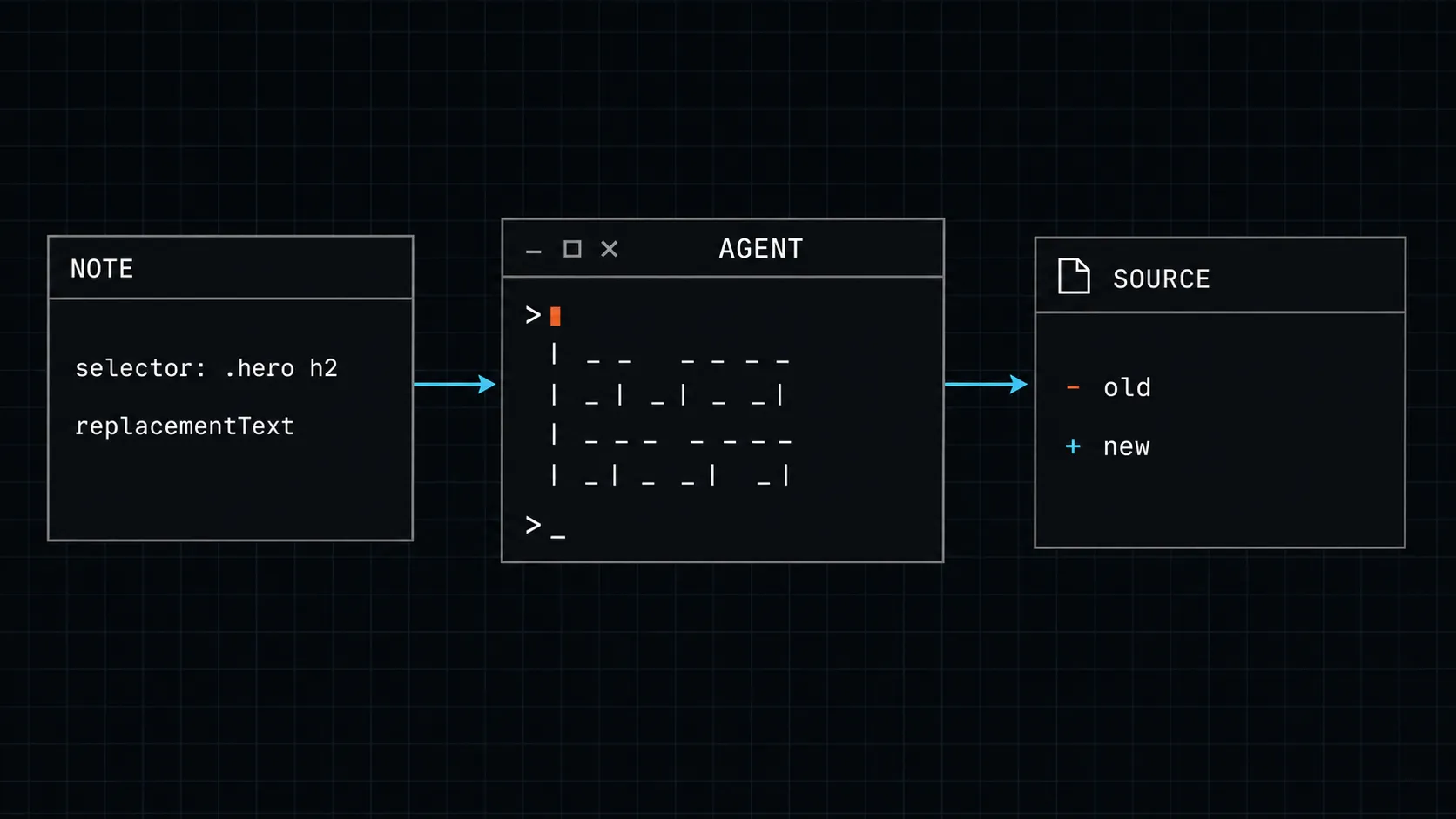
Here's what "agent-first" actually means in practice. A client visits a page, clicks a heading, and types: "Make this heading bigger."
In a screenshot workflow, that becomes a PNG with a red circle and a caption. In TellUs, that note contains:
- The CSS selector —
.hero-section h2— shortest unique path via@medv/finder, the primary agent target - The XPath —
/html/body/main/section[1]/h2— structural fallback for when the DOM is generated - The visible text snippet —
Welcome to Our Site— confirmation anchor and text-replacement source - The computed font size —
24px— answering "what is the current state" without the agent having to inspect anything - The bounding box in viewport-percentage coordinates — survives a reflow between annotation and implementation
- The tag name, element ID, and class list — source-code search aids for when the selector alone isn't enough
An agent receiving that note knows the element, its location in the DOM, its current visual state, and the page it lives on. It can open the relevant file, locate the rule, and make the change. No clarification. No "which heading did you mean?"
The two-layer report
A feedback session produces a lot of data per note. Computed styles alone are a
dozen fields. Feeding everything to a coding agent on every run wastes context
window and slows the task batch. But discarding detail means the agent can't
self-serve when the summary is ambiguous — "which .price element on
a page with three?"
TellUs uses a two-layer model.
Layer 1 — the summary report is what an agent receives as a task batch. Roughly 250 bytes per note, seven sparse fields. An agent that can execute from the summary alone never touches Layer 2.
{
  "site": "example.com",
  "session": {
    "reviewer": "Jan Smith",
    "device": "desktop / Chrome / macOS",
    "viewport": "1440×900"
  },
  "notes": [
    {
      "id": "note-uuid-001",
      "page": "/about",
      "selector": ".hero-section h2",
      "currentText": "Welcome to Our Site",
      "comment": "Change to our actual studio name",
      "replacementText": "Smith Creative Studio",
      "type": "text-change",
      "detailRef": "note-uuid-001"
    }
  ]
}
Layer 2 — the detail endpoint is queried by noteId
only when the summary isn't enough. It returns the full forensic payload: three
anchors (CSS selector, positional XPath, text XPath), full computed styles, bounding
box, session context, screenshot URL, and voice transcript if recorded.
This keeps context usage proportional to task complexity. Simple text swaps work from Layer 1. Ambiguous visual changes — "tighten the spacing on the pricing grid" on a page with four grids — pull the bounding box and computed padding from Layer 2 to disambiguate, then execute. The agent scales its information intake to the problem in front of it.
The broader lesson
The feedback-to-implementation loop is where small web projects lose days. Not the build — the clarification overhead between "client has a thought" and "developer touches a file." A client leaves twelve notes. Nine of them require a follow-up message before anyone writes code. At $125 per hour, that clarification round is not invisible cost.
TellUs shrinks that overhead to near-zero by capturing the right data at annotation time — not reconstructing it afterward from a screenshot. The element's selector, its current text, its computed state, the exact replacement text the client typed: all of it is in the note before the session ends.
When a coding agent receives a TellUs summary report, it has everything it needs to act on most notes in one pass: selectors, current values, replacement text, page context. It doesn't need to ask.
It doesn't need to ask. It executes.
That's the shift. Not a better screenshot tool. Not a smarter task card. A feedback format designed from the start for the entity that will read it — and the result is that the loop that used to eat a morning now takes minutes.
TellUs is live at tellus.alchemygraphics.com, MIT licensed, and self-hostable on any PHP/MySQL shared host. The embed is one script tag, no API key required. If you'd like to drop it onto a client site or run your own instance, the user guide has the full walkthrough — from adding a site in the dashboard to handing a session JSON to your agent.